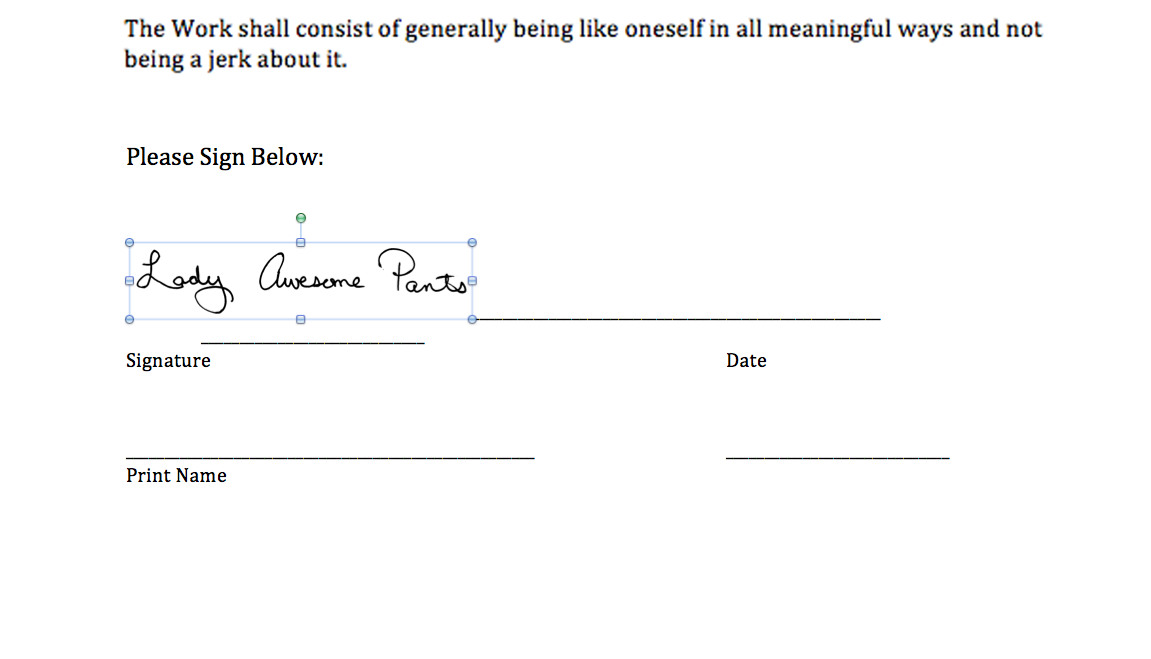
This is part two of a three part series on adding your signature to digital files. In the first part, we discussed making a TIFF of your signature. In this part, we'll discuss adding your signature to a contract, if it's sent to you as an editable Microsoft Word file.
If you want to play along with the home game, you can download the signature, a sample Microsoft Word contract and a sample PDF contract by clicking the links.
For this step, you'll need:
*I'm using Microsoft Office 2008 on a Mac. This should work in programs like Open Office, Pages, or other word processing programs, but the individual steps my vary. You can refer to your help menu or user manual for more guidance.
Before we get started, let me just say that word processors are called, "word processors" because they are meant to, um, process words. I know, obvious. But the point is that word processors are not layout design tools. They support including images and spreadsheets and flow charts and various and sundry other bells and whistles, but just as you'd want to track your businesses expenses in Excel, not Word, you need to accept that Word manages layout design duty the way Carrot Top manages his face (it ain't pretty.) All this is to say that while Word does an acceptable job of allow you to plop your signature into a document, it's not an ideal solution. Personally, if it's an option, I'd rather save the document as a PDF and use the method I'll be outlining in the third and final portion of this tutorial. But it's good to know these skills, regardless, so I'm covering them here.
Begin by opening your contract in Microsoft Word.
Place your cursor where you'd like to place your signature and go to INSERT | PICTURE | FROM FILE
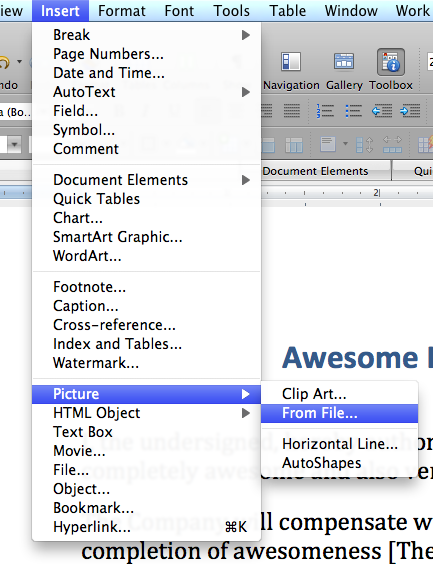
Insert picture
Navigate to your signature and double click it.
Note: If the image is grayed out, it means the signature is a file format your word processor doesn't support. Word is pretty accommodating, open source alternatives may be more restrictive. If your image file format is not supported in your word processing program, open your signature in your photo editing software and save it as another file format. JPEG should work fine for this purpose.
Your image will now appear somewhere near where your cursor was. It has probably caused portions of the page to reflow, move or shift in some aesthetically unpleasing way. Depending on how the page is formatted, it may look acceptable or it may look more like the example below.
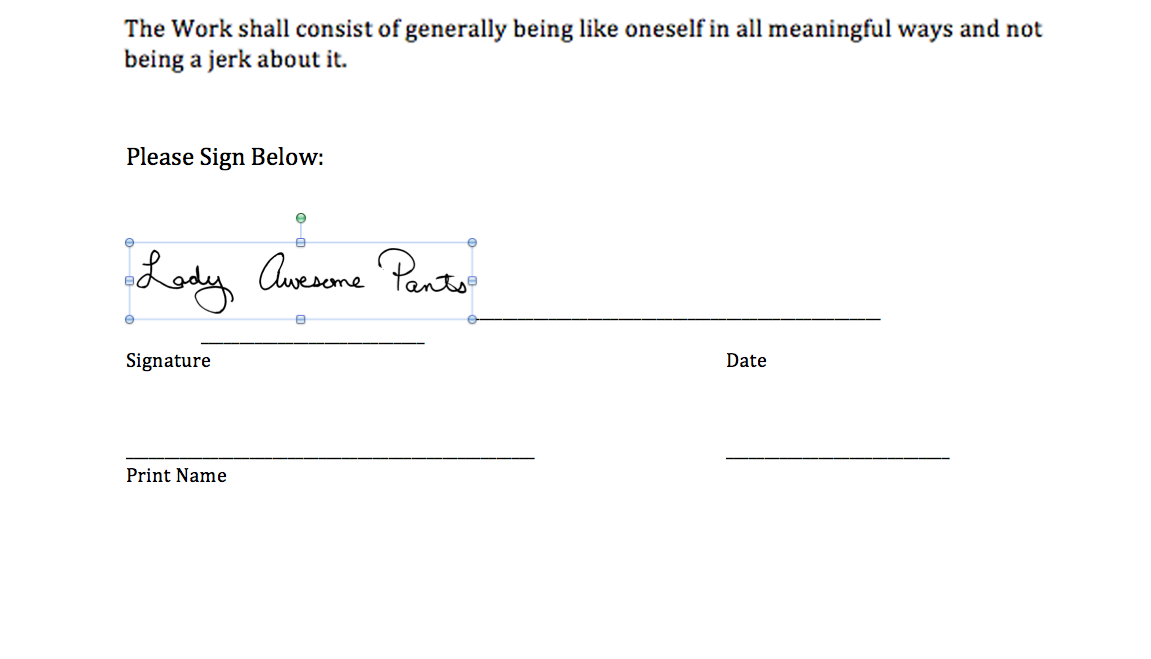
Image imported
Double click the signature to pull up the Format Picture dialog box. Your dialog box may look different than the image below. Look along the left side and choose the LAYOUT option from the list.
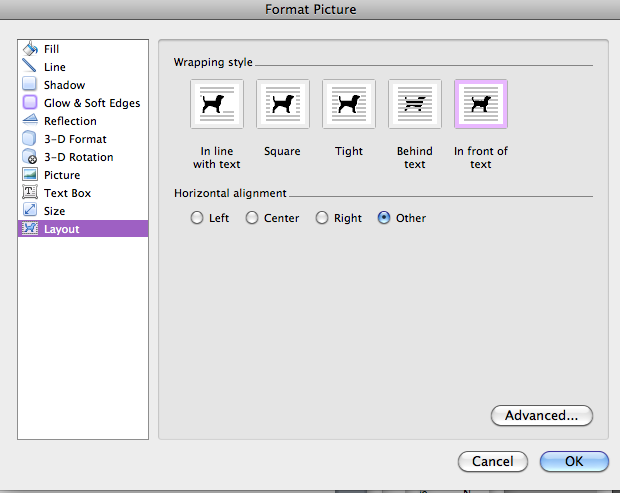
Format Picture Layout options
From the Wrap Style icons, choose IN FRONT OF TEXT. When you make edits, in the dialog box, you'll see changes happening on the page. Do not be alarmed if your picture jumps around even if it's not in you view at that moment. Click OK to continue.
Find your signature on the page. Mine jumped down to the bottom. Remember what I said about Word being a not-good tool for layout? This is a good example. Why changing the wrap should send the image hurtling to the bottom of the page is beyond me, but there it is.
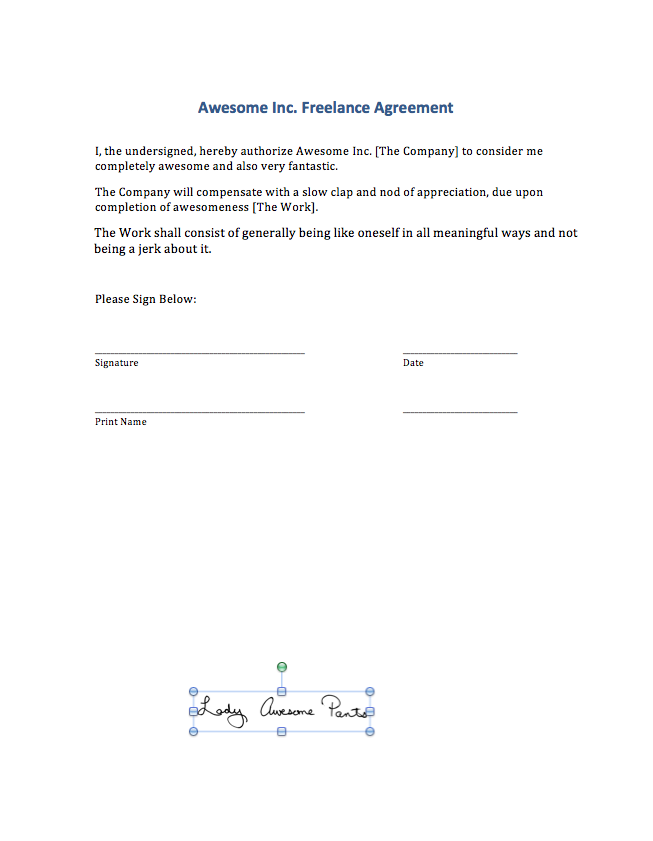
Signature on the loose
Move your cursor over the signature, click it and drag it into position. In Word, I place it just above the signature line so that it doesn't overlap. You can drag the corner of the signature, holding down your SHIFT key so it doesn't distort, to adjust its size on the page.
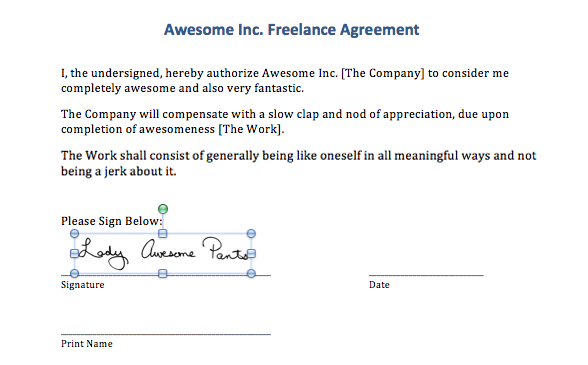
Signature in the right place, at the right size
Depending on how your contract is formatted, the underlines may be created by applying an underline style, adding an underline to a tab stop or by typing an underscore repeatedly. I find the last used most often so that's what's in our sample contract, but in any of those cases, you'll probably need to include the date and your name somewhere. Unless someone has made an interactive form, there's really no pretty way to handle this short of reformatting someone else's file so I usually just settle for the"good enough" solution that follows.
Select enough underscore characters to accommodate the date. If you are using a MM/DD/YY type format, you won't need to select many characters. If you are using the FULLMONTH DAY, YEAR format, you may need to select the whole line.
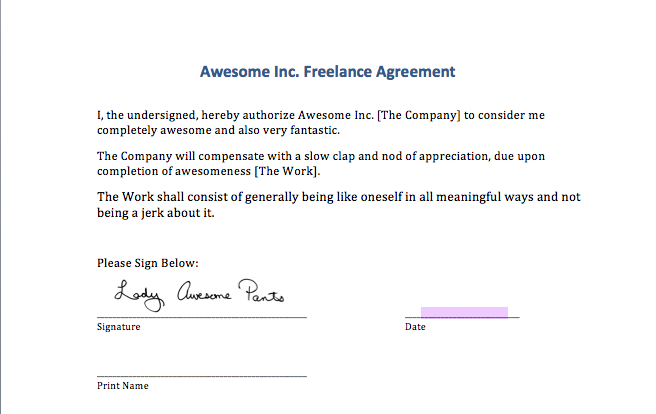
Selected underscores
Type in the date. If you removed too many underscores, you can simply type additional ones in. If you didn't select enough underscores and some have jumped to the next line, just delete them.
Repeat this process for your name.
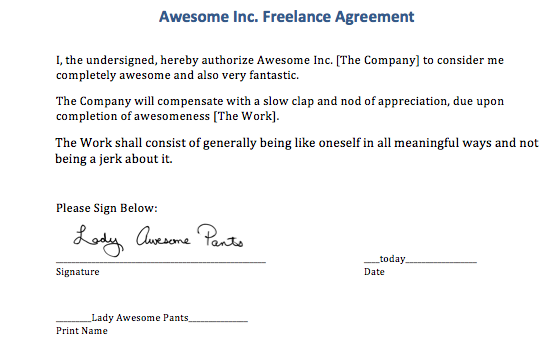
Add your name
And that's it!
You can email your contract back as is, or save it as a PDF if you prefer. Personally, I'd rather send a PDF which can be locked so that the signature file cannot be reused. It's not a foolproof plan but handing a high quality picture of your signature off to someone you barely know, just seems a little unwise.